


Piano - Music Keyboard & Tiles
4.118.41K Reviews
App Specs
- Version
- 1.75
- Updated On
- License
- Free
- Downloads
- 100,000,000+
- Developer
- Gismart
- Categories
- Music
- Platform
- Android, iOS
Screenshots
 Analysis by AppCompare
When I want a quick, hands-on break with music, a virtual piano can be more inviting than opening a full lesson app or setting up an instrument. Piano - Music Keyboard & Tiles combines a playable keyboard with a tile-tapping game, so it can suit both casual experimenting and short rhythm sessions. I see it as a phone-friendly way to interact with piano sounds, not a substitute for learning on a real keyboard.
Who will enjoy this mix
The appeal is the change of pace: I can try notes freely, then switch to a more game-like challenge when I want a clear goal. That makes it a reasonable pick for someone who is curious about piano but not ready to commit to lessons, as well as for players who simply want a music-themed pastime during a quiet moment. It is less suited to anyone expecting a structured course that builds dependable piano technique from the ground up.
A realistic use is a short break at home or while waiting somewhere: open the keyboard, tap out a familiar-sounding pattern, then try a tile section for a more focused rhythm test. A phone screen makes that easy to start, though it also limits how much of a keyboard can be comfortably played at once. I would treat the app as a compact music toy and practice aid rather than a replacement for full-size keys.
What the purchase details mean in practice
Gismart’s music game is free to install, with optional in-app purchases listed from $1.49 to $89.99 per item. That range is worth noticing before spending: I would first explore the free experience and only consider a purchase if it clearly supports the way I use the app. The range alone does not tell me what each item includes, so I would check the specific offer shown in the app rather than assume that a particular feature or song requires payment.
The game is rated for Everyone, which makes its general audience broad, but that label is not a promise that every player will enjoy the pace or the purchase prompts. If a child will use it, I would still keep an eye on in-app buying and make sure the device’s purchase controls match the family’s preferences. That is a practical precaution for any free app with optional spending, not a claim about how often this game asks for money.
Progress without turning every session into a test
Tile-based play gives each round an immediate objective: respond to notes as they appear and try to keep the rhythm. It can make timing feel more engaging than tapping arbitrary keys, especially for someone who likes a quick challenge. The trade-off is that hitting prompts is not the same as learning hand position, reading notation, or developing the touch and coordination needed for an acoustic or digital piano.
To get more from a short session, I would use the free-keyboard side as a warm-up rather than jumping straight into chasing a score. Try repeating a small phrase slowly, then switch to a tile challenge and notice how the pace changes your accuracy. This simple sequence makes the two styles feel complementary: one encourages exploration, while the other gives rhythm a more game-like structure. It also helps keep a missed note from feeling like a verdict on musical ability.
Worth Reading Before You Choose

Baby Panda World Brings Quick Play to Modern Phones, but Its Game Library Feels Busy

ESPN’s Live Game View Makes Following Close Games Easier

QuizzLand Review: A Good Fit for Short Trivia Breaks, Not Every Player

Basketball Stars: Multiplayer Is Fast, but Can It Recover When Matches Go Wrong?

WEBTOON Turns Phone Updates Into a Better Reading Routine

Link to Windows Runs on Shared Habits, Not Social Feeds
Pressure can creep in when a game encourages repeated attempts, but a useful personal limit is to stop when the challenge stops being fun. A few focused rounds are more suitable for a casual phone session than an extended practice plan. If you are using it to build a habit, decide in advance whether your goal is to relax, experiment with melody, or work on timing; otherwise, it is easy to confuse tapping quickly with making meaningful musical progress.
How it differs from piano lessons and other music games
Compared with a conventional piano-learning app, this one’s combination of keyboard play and falling-note challenges puts more emphasis on immediate interaction than on a formal study path. A dedicated lesson tool is the better choice if you need a methodical sequence, feedback on technique, or a clear route through music reading. A physical keyboard is better still when your priority is accurate finger spacing and the feel of playing with both hands.
Against a simple virtual-keyboard app, the tile-game element gives this experience a more defined challenge than open-ended note tapping. That can be a real advantage when you want a quick activity rather than a blank set of keys. The compromise is that game prompts can steer attention toward reaction and completion instead of listening closely to tone or shaping a phrase. I would choose it for a playful music break, and choose a more focused instrument or course when precision is the main goal.
One useful way to decide is to ask what you want from the next ten minutes. If you want to make sounds without preparation, the keyboard is the natural place to start. If you want a target and a sense of momentum, try the tile play. If you need detailed instruction or a dependable practice routine, this is probably not the only tool you should rely on.
For a beginner, the most helpful expectation is modest: the app can make musical interaction less intimidating and give rhythm practice a playful frame, but it cannot guarantee that tapping on glass will transfer directly to piano technique. For an experienced player, it can be a casual diversion, though the compact screen and game format are unlikely to replace a proper keyboard session.
When deciding whether to spend, I would separate curiosity from necessity. Since the app is free to start, there is no need to buy something just to find out whether the basic idea suits you. The available purchase range is broad, so inspect each item’s description and price in context before confirming. I would not treat a purchase as a shortcut to skill; regular, attentive practice matters more than unlocking an unspecified item.
There are also ordinary phone-use trade-offs to keep in mind. A touchscreen can be convenient and portable, but fingers may cover nearby keys, and the experience depends on how comfortably your device can display and play the controls. If you find yourself wishing for wider spacing, more expressive control, or a stable surface, that is a sign to move to a physical instrument rather than keep trying to make a phone behave like one.
The app has a 4.1 average from around 1.3 million ratings, with roughly 18,000 written reviews, and has passed 100 million installs. Those figures suggest that the format has reached a very large audience, but popularity cannot tell you whether its style fits your goals. I would use the free entry point to make that judgment for myself instead of treating the rating or install count as a guarantee of personal fit.
Its current version is 1.75, and it requires Android 10 or later. It was released on June 5, 2014, so it has been around for years, but those details are most useful as a quick compatibility check rather than a measure of how well it will suit your musical needs. The key decision remains whether you want a casual keyboard-and-rhythm experience or a more serious route into playing piano.
My practical verdict is that this is most appealing to curious beginners, casual players, and anyone who likes music games with a piano theme. It is not the right sole choice for someone preparing for lessons, learning repertoire carefully, or looking for realistic instrument technique. Start with a short session, see whether the keyboard or tile play holds your attention, and keep purchases optional until you know exactly what you want from them.
Unlocking the Keys: First Impressions
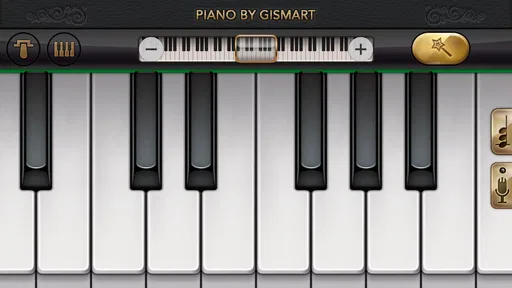
First off, let’s talk about the interface. Upon opening Piano - Music Keyboard & Tiles, I was greeted with a sleek, user-friendly design. The developers really nailed it with the layout. Everything is intuitive, making it easy even for those who are not tech-savvy. Within minutes, I found myself navigating through the various features like a pro.
A Keyboard in Your Pocket
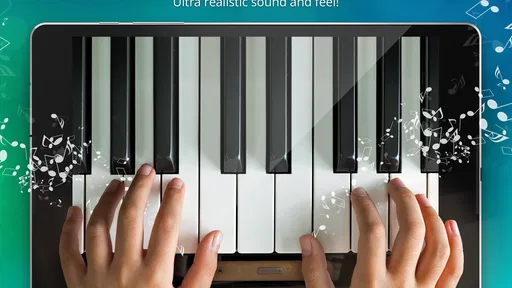
The core feature here is the digital keyboard, which is surprisingly responsive. It’s like having a mini piano in your pocket! The keys are well-sized for a mobile screen, and the sound quality is impressive. You can adjust the octave and even record your compositions, which is a neat touch for budding composers out there.
Play with Tiles: Game Mode
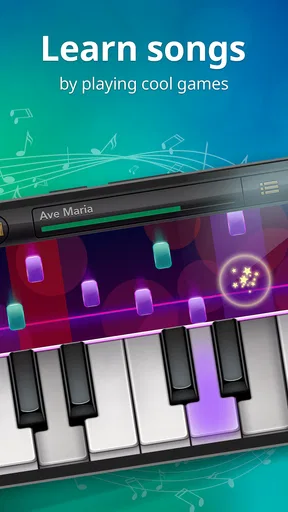
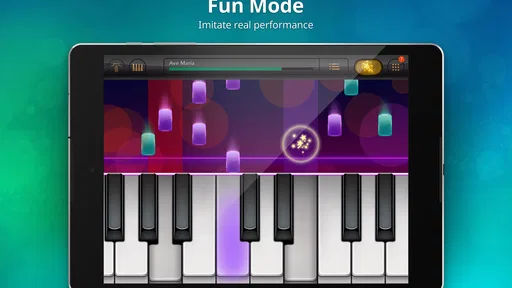
Now, onto the game mode. This is where the app gets addictive. Similar to other tile-tapping games, you have to hit the right notes as they scroll down the screen. It’s challenging but super fun. What I love is that it’s not just random notes; the app features actual songs, so you can play along to your favorite tunes. It’s a great way to practice rhythm and timing.
A Library of Tunes
If you’re worried about running out of songs to play, fear not! The app boasts a vast library of music. From classical pieces to pop hits, there’s something for every taste. The songs are categorized by difficulty, so whether you’re a beginner or a seasoned pianist, you’ll find something that suits your level.
Tip: Don’t forget to check out the daily challenges to keep things fresh and exciting!
Learning and Customization
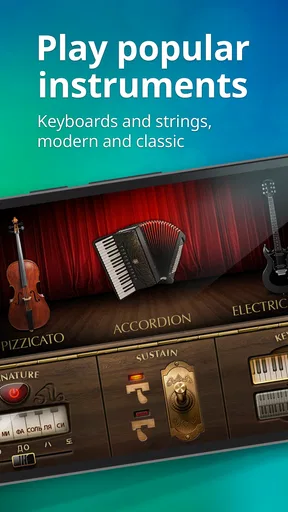
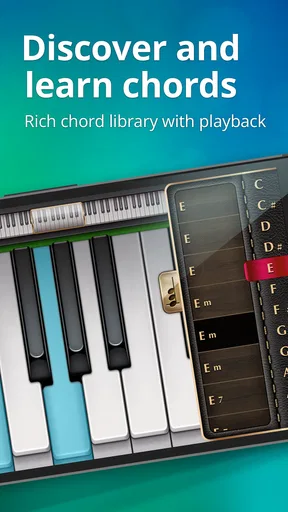
One aspect that really impressed me is the learning mode. For those looking to improve their skills, this mode offers guided lessons. It’s like having a virtual piano teacher. Plus, the app allows for customization, letting you change the keyboard themes and even the sound of the piano, adding a personal touch to your practice sessions.
Sharing Your Musical Journey
The app also makes it easy to share your performances. You can record your sessions and share them with friends or on social media. It’s a great way to showcase your progress and maybe even inspire others to start their musical journey.
The social aspect doesn’t stop there. The app has a community section where you can connect with other users, share tips, and even participate in friendly competitions. It adds a nice sense of camaraderie to the whole experience.
Final Notes
Wrapping up, Piano - Music Keyboard & Tiles is a delightful blend of fun and education. It’s perfect for anyone looking to dip their toes into the world of music or for seasoned players wanting a portable practice tool. The combination of a responsive keyboard, engaging game mode, and educational resources makes it a standout app in its category.
So, whether you’re aiming to become the next Mozart or just looking to unwind with some music, give this app a whirl. With its expansive features and engaging gameplay, it truly hits all the right notes!
Pros
- Intuitive interface for beginners.
- Wide variety of songs to learn.
- Customizable keyboard layout.
- Offline mode available.
- Regular updates with new features.
Cons
- Ads can be intrusive at times.
- Limited free content options.
- Requires in-app purchases for full access.
- Some features need internet connection.
- Occasional lag on older devices.
FAQs for Piano - Music Keyboard & Tiles
What features does Piano - Music Keyboard & Tiles offer?
Piano - Music Keyboard & Tiles provides a virtual piano experience with a variety of features. Users can enjoy a realistic keyboard layout, multiple sound effects, and a library of songs to play along with. The app also includes a game mode where players can improve their skills while enjoying interactive gameplay.
Is Piano - Music Keyboard & Tiles suitable for beginners?
Yes, the app is designed for users of all skill levels. Beginners can start with simple songs and gradually progress to more complex compositions. The app provides tutorials and a practice mode to help new users get accustomed to playing the piano, making it an excellent choice for learning.
Can I play Piano - Music Keyboard & Tiles offline?
Yes, Piano - Music Keyboard & Tiles can be used offline, allowing users to practice and play without an internet connection. However, certain features, such as downloading new songs from the library, may require an internet connection. Offline play ensures you can enjoy the app anywhere.
Does the app offer customization options?
The app allows various customization options to enhance your experience. Users can change the keyboard size, select different piano sounds, and adjust the tempo to suit their playing style. These features enable users to tailor the app to their preferences, providing a personalized musical experience.
Are there in-app purchases in Piano - Music Keyboard & Tiles?
Yes, while the app is free to download and use, it includes in-app purchases. These purchases can unlock additional songs, remove ads, or provide access to premium features. Users should be aware of these options if they wish to enhance their experience or access more content.


